
Download ADSLNet Navigation Tools – internet speed, port scanner, IP monitor, eMule optimization, spyware protection, network utility
Overview
ADSLNet Navigation Tools is a productivity-focused mobile application designed to assist users in managing and understanding their ADSL internet connection. The app serves as a comprehensive utility toolkit aimed at both novice and intermediate users who seek clarity and control over their network performance and security. Its primary purpose is to simplify common network-related tasks that might otherwise require technical expertise or third-party software.
By offering tools such as port scanning, connection speed measurement, IP monitoring, and eMule optimization, the app addresses practical challenges users face in daily internet usage. It enables users to identify active devices on their network, detect potential security threats, and optimize bandwidth usage—particularly beneficial for users engaged in file-sharing activities. The inclusion of a spyware protection feature adds a layer of defense against unauthorized access and data leaks.
Target users include home users, remote workers, and tech-savvy individuals managing shared internet connections. The app is especially relevant in regions where ADSL remains a prevalent broadband technology. Although the developer did not provide additional technical details, the app’s functionality suggests a focus on accessibility and real-world utility. It fills a niche in the mobile productivity ecosystem by delivering essential network diagnostics in a single, lightweight package.
Key Features & Functionality
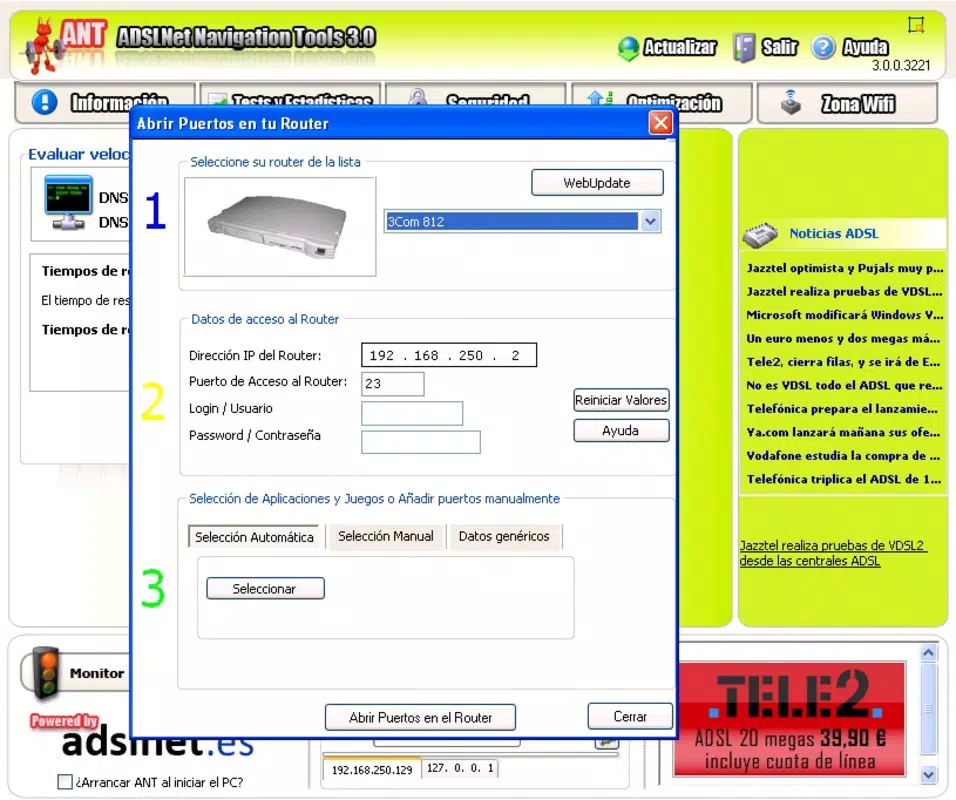
- Port Scanner: Allows users to detect open ports on their network, helping identify potential vulnerabilities or active services running on connected devices.
- Internet Speed Test: Measures download and upload speeds, providing real-time feedback on connection performance for troubleshooting or benchmarking.
- eMule Optimization: Offers settings and recommendations to improve the efficiency and speed of eMule file-sharing operations.
- Public IP and DNS Monitoring: Displays the user’s public IP address and DNS ranges, useful for configuration, remote access, or diagnosing connectivity issues.
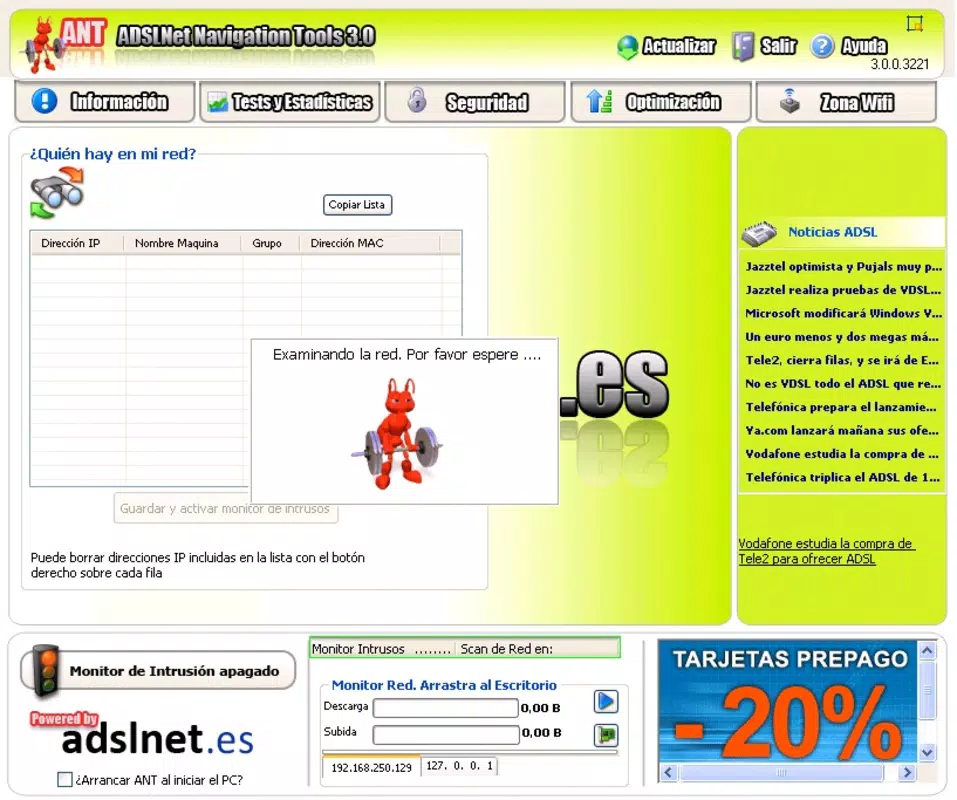
- Connection Activity Tracker: Identifies devices currently connected to the same network, promoting awareness of shared bandwidth usage.
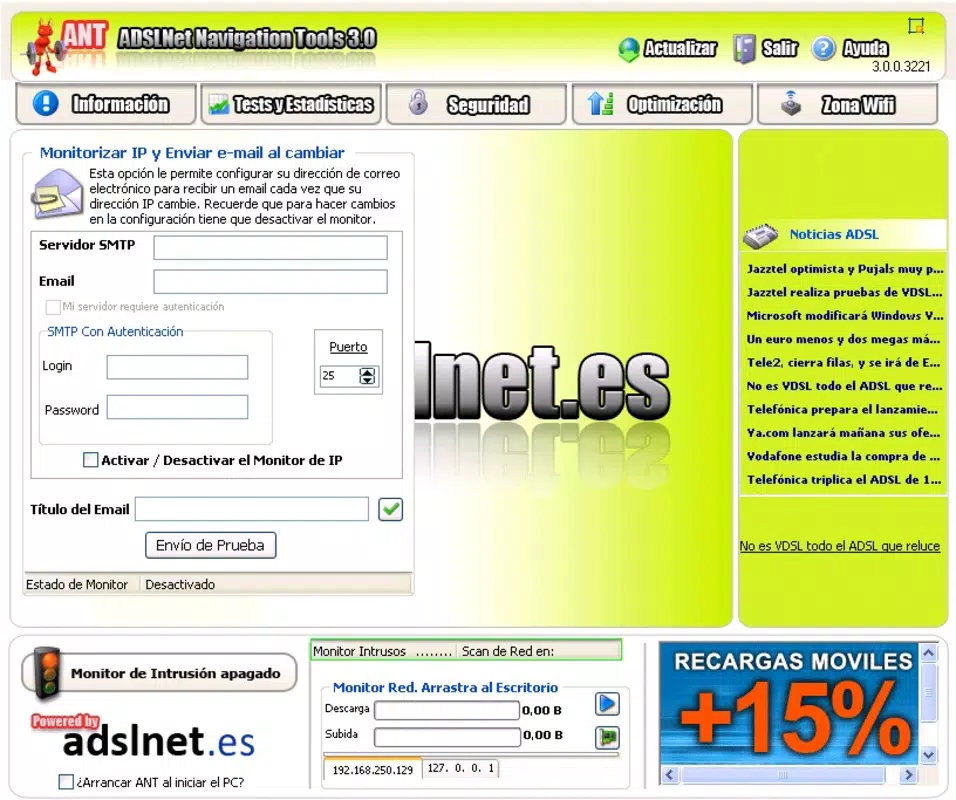
- IP Monitoring with Email Alerts: Continuously tracks IP changes and can send updates via email, useful for remote monitoring or security alerts.
- Network Utility Suite: Includes tools to prepare performance rankings, assess network health, and generate diagnostic reports.
- Spyware and Intruder Protection: Implements basic detection mechanisms to flag suspicious network activity and potential unauthorized access.
These features are particularly useful in scenarios such as identifying unauthorized users on a shared home network, optimizing file-sharing speeds, or monitoring connection stability. For example, a user experiencing slow downloads can run the speed test and port scan to determine if the issue stems from network congestion or an open port exposing the device to risk. The app’s integration of multiple tools into one interface reduces the need for multiple applications, streamlining network management on mobile devices.
Interface, UX & Performance
The user interface of ADSLNet Navigation Tools appears designed for functionality over aesthetics, prioritizing clarity and direct access to core tools. Navigation is likely structured through a menu-based layout, allowing users to switch between features such as port scanning, speed testing, and IP monitoring with minimal steps. The visual style is minimalistic, focusing on text-based outputs and simple icons, which enhances readability and reduces cognitive load.
Given its 4.2 MB file size, the app is lightweight and optimized for low-resource devices. Although the developer did not list formal performance metrics, the compact size suggests efficient memory usage and fast startup times. Responsiveness is expected to be consistent across various Android device categories, from budget smartphones to mid-range models. Stability is likely maintained through focused functionality, avoiding the bloat common in feature-heavy apps.
Users can expect smooth transitions between tools and minimal lag during operations such as scanning or speed testing. However, the absence of detailed performance data means that real-world behavior under heavy load or prolonged use remains unverified. Overall, the UX emphasizes practicality, making it accessible even to users with limited technical knowledge.
Platform Compatibility & Technical Requirements
ADSLNet Navigation Tools is available exclusively on the Android platform. The app requires Android OS version 5.0 or higher, although specific requirements were not listed by the developer. It is distributed as a free download with a file size of 4.2 MB, indicating efficient resource usage and suitability for devices with limited storage.
Compatibility with different Android versions and screen sizes was not fully disclosed. However, the lightweight design suggests broad compatibility across a wide range of devices. Users should ensure their device meets standard Android system requirements to avoid installation issues. The app does not require root access or special permissions beyond those typical for network diagnostics, such as internet and email access.
Pros and Cons
Pros
- Lightweight at only 4.2 MB, ideal for low-storage devices.
- Free to download and use, with no in-app purchases or ads.
- Comprehensive suite of network utilities in a single app.
- Designed for users seeking control over ADSL connections and network security.
- Includes specialized tools like eMule optimization and IP monitoring with email alerts.
- Offers real-time diagnostics for speed, ports, and connected devices.
Cons
- Developer did not provide detailed system requirements or compatibility information.
- No official support channels or user documentation were listed.
- Interface may appear outdated or minimalistic to users expecting modern design.
- Performance under sustained use or high network load was not tested or reported.
- Limited feedback on security detection accuracy or reliability of spyware protection.
FAQ
Is ADSLNet Navigation Tools safe to install?
The app is free and distributed without known malware. However, users should only download it from official sources to ensure authenticity and security.
Can I use this app on iOS devices?
Currently, the app is only available on Android. There is no official iOS version listed.
Does the app require internet access?
Yes, most features—such as speed testing, IP monitoring, and email alerts—require an active internet connection.
How often can I run the port scanner?
The app allows repeated use, but frequent scanning may impact network performance. It is recommended to use it only when necessary.
Is the spyware protection feature reliable?
The app includes basic detection tools, but it is not a substitute for dedicated antivirus software. Users should maintain additional security measures.
Final Thoughts + CTA
ADSLNet Navigation Tools stands out as a practical, no-frills utility for users who want greater insight into their ADSL network. Its combination of speed testing, port scanning, IP monitoring, and eMule optimization makes it a valuable asset for managing shared connections and enhancing online security. While the interface may lack modern polish, its functionality is focused and effective.
For home users, remote workers, and anyone managing a shared internet connection, this app delivers tangible benefits without the cost or complexity of enterprise-grade tools. It is especially useful in regions where ADSL remains a dominant broadband technology. The free pricing model and small footprint further enhance its accessibility.
Download ADSLNet Navigation Tools now


